
WhatsApp Group Rules Generator
Create professional, funny, or strict rules for your group description.
WhatsApp Group Rules Generator: Create Clear Group Guidelines
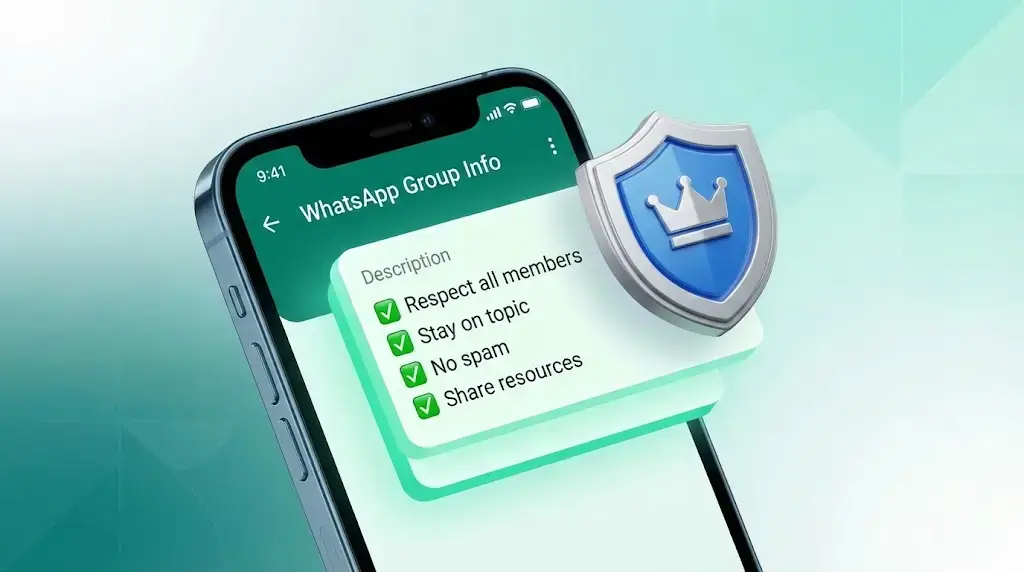
A busy group chat becomes difficult to manage when members do not know what is expected. This free WhatsApp group rules generator creates a structured, copy-ready set of guidelines for professional teams, communities, buy-and-sell groups, friends, and Islamic groups. Enter the group name, add an admin contact if appropriate, choose a style, and include any custom rule that matters to your members.
The result is a practical starting point—not an automatic enforcement system or legal policy. Review every line before sharing it, remove rules that do not fit your community, and use respectful language that members can understand. The generator does not connect to your WhatsApp account, add members, remove members, or post the text for you.
Quick Navigation
On this page: how to generate rules, essential rule topics, copy-paste examples, guidance by group type, privacy and limitations, and frequently asked questions.
What This WhatsApp Group Rules Generator Does
A WhatsApp group rule is a short expectation that explains what members may post, how they should behave, and what admins may do when a rule is ignored. Clear rules reduce repeated reminders and give new members a quick reference. They work best when they are specific, proportionate, and connected to the purpose of the group.
WSBot combines a selected template with the group name, admin information, and any custom rule you add. Five built-in categories are available: Professional, Strict, Buy & Sell, Friends/Funny, and Islamic. Each category supplies six base rules. Custom rules stay in the current browser session while you switch categories, and the final text can be copied to your clipboard.
How to Generate WhatsApp Group Rules
- Choose the closest group type. Select Professional, Strict, Buy & Sell, Friends/Funny, or Islamic. Treat the generated wording as a draft.
- Enter the group name. A clear name helps members recognize which community the rules belong to.
- Add admin information carefully. Use a name, role, or contact method only if you are comfortable displaying it to every member.
- Add a custom rule. Include a topic-specific requirement such as posting hours, source verification, advertising approval, language, or dispute handling.
- Review, regenerate, and copy. Read the complete output, edit any wording that is too strict or too broad, copy it, and paste it into the appropriate group information or announcement area.
Test the final version with another admin before publishing it. A short rule that members understand is more useful than a long list nobody reads.
Essential Topics Every Group Should Cover
Useful WhatsApp group chat rules normally cover a small set of recurring problems. Start with relevance: explain the group’s purpose and which discussions belong elsewhere. Add conduct expectations that prohibit harassment, threats, hate speech, impersonation, and targeted bullying. Include a spam rule for repeated promotions, chain messages, unrelated forwards, and excessive posting.
For privacy, ask members not to repost private conversations, phone numbers, images, or personal information without permission. For accuracy, encourage people to verify urgent claims before forwarding them. Business and marketplace groups should explain listing requirements, prohibited goods, how disputes are handled, and whether admins verify sellers. School, family, religious, and community groups may also need posting hours, safeguarding language, source standards, or an escalation route.
Avoid promising that rules create complete legal protection. Group descriptions are communication tools, not a substitute for professional legal advice, platform policies, safeguarding procedures, or local law.
Copy-Paste WhatsApp Group Rules Examples
Professional group:
Welcome to [Group Name]. Keep messages relevant to our shared work. Be respectful, protect confidential information, and avoid unsolicited promotions or repeated forwards. Verify important claims before sharing. Contact [Admin] if a discussion needs moderation.
Study or parent group:
This group is for course and schedule updates. Share accurate information, use clear subject lines, and keep personal disputes out of the group. Do not post a student’s personal information or image without appropriate permission. Questions for staff should follow the stated contact process.
Buy-and-sell group:
Include the item, price, condition, location, and genuine photos in each listing. Do not post prohibited or misleading products. Keep negotiations respectful and move sensitive transaction details to a private conversation. Members trade at their own discretion; report suspicious activity to [Admin].
These examples are intentionally concise. Adapt the tone, moderation steps, privacy wording, and contact details to your own community instead of copying a policy you cannot enforce.
Choose Rules for Your Group Type
- Professional groups: prioritize relevance, confidentiality, response expectations, and approval for promotions.
- Strict or announcement groups: state who may post, which content is prohibited, and how warnings or removal decisions are handled.
- Buy-and-sell groups: request complete listings, prohibit illegal or deceptive offers, and clarify that members should verify transactions independently.
- Friends and family groups: keep the tone friendly, but still protect privacy and set boundaries for jokes, arguments, and late-night messages.
- Islamic or faith communities: encourage respectful discussion and source verification while avoiding sectarian attacks or claims that the admin cannot responsibly judge.
- School and parent groups: focus on official updates, child privacy, appropriate language, and a clear route for individual concerns.
There is no universal perfect template. The strongest WhatsApp group guidelines reflect the group’s actual purpose, membership, age range, region, and moderation capacity.
Written Rules and Admin Controls Are Different
Written rules and WhatsApp’s own admin controls solve different problems. Rules explain expectations; platform controls determine who can edit group information, send messages in restricted groups, approve participants, or manage members where those options are available. A generator cannot apply those settings for you.
After publishing your rules, review the group’s current permissions inside WhatsApp and keep at least one reliable moderation contact. Apply warnings and removals consistently, document serious incidents where appropriate, and avoid publicly exposing private complaints. For platform-specific enforcement guidance, consult the official WhatsApp community guidance.
Privacy, Safety, and Tool Limitations
The generator itself builds the draft in your browser from the selected template and the text you enter. It does not log in to WhatsApp, inspect group messages, verify identities, or send the output automatically. Your normal website session may still be subject to the site’s general analytics, cookies, and privacy practices.
Do not place sensitive personal data in the admin field unless every intended member should see it. Generated rules cannot guarantee member compliance, prevent scams, confirm the legality of a transaction, or replace safeguarding and legal advice. Always review the output for cultural context, fairness, and accuracy.
Best Practices for Clear Group Guidelines
- Keep the opening line focused on the group’s purpose.
- Use plain language and one action per rule.
- Explain the likely moderation response without threatening or humiliating members.
- Avoid vague phrases such as “behave properly” when a specific expectation is possible.
- Review rules when the group’s purpose, membership, or risks change.
- Share important changes clearly instead of silently replacing the description.
- Use the same standard for admins and members.
If you are setting up a new community, create a suitable identity with the WhatsApp Group Name Generator, then draft a fuller introduction with the WhatsApp Group Description Generator. Keeping the name, description, and rules consistent makes the group easier to understand.
Frequently Asked Questions
It is a drafting tool that combines a chosen rule template with your group name, optional admin information, and custom text. It produces copy-ready wording but does not connect to or control your WhatsApp group.
Good rules define the group’s purpose, respectful conduct, privacy, spam and promotion limits, content relevance, source verification, and a fair moderation process. The exact list should match the group type and its members.
Generate and review the draft, use the copy button, then paste it into the relevant group information or announcement area available in your version of WhatsApp. Ask another admin to review it before sharing.
Yes. Enter a custom rule and select Add Rule. It is appended to the generated list. Check it for clarity and remove personal or sensitive information before copying the output.
No. It only creates text. Admin permissions, warnings, approvals, restrictions, and removals must be handled through WhatsApp’s available controls and your own moderation process.
The generated text is not legal advice and should not be treated as a guaranteed contract. Organizations with legal, employment, safeguarding, or compliance duties should have an appropriate professional review their policy.
Choose the category closest to the group’s real purpose: Professional for teams, Strict for tightly moderated discussions, Buy & Sell for marketplaces, Friends/Funny for casual groups, or Islamic for faith-focused communities. Then edit the draft to fit your members.
Create Your Group Rules Now
Use the generator above to create a first draft, then personalize it until every rule is clear, fair, and realistic to enforce. Copy the finished text, share it with your members, and revisit it whenever the group changes.