
Secret Message Encryptor
Send hidden messages. Only those with the password can read.
Secret Message Encryptor: Encode and Decode Text Online
Turn ordinary text into a secret-looking message with the free WSBot message encryptor. You can create a Standard Secret Code, convert text into a fruit-emoji pattern, show character codes as binary, translate supported letters and numbers into Morse Code, or reverse the text. The matching Decrypt tab helps the recipient convert the result back when the same method is selected.
This online text encryptor is designed for playful messages, classroom demonstrations, puzzles, surprise notes, and casual WhatsApp sharing. No account or installation is required. Type your message, choose a format, generate the output, and copy or share it in seconds.
Important security note: This tool offers reversible encoding and simple password-based scrambling; it does not provide modern, authenticated encryption. Do not use it for passwords, recovery codes, payment details, medical information, legal documents, or confidential business data.
What This Online Message Encryptor Does
A message encryptor changes readable text into another representation so the original message is not immediately obvious. On this page, the word “encryptor” describes the user’s goal and the tool category. Technically, several available methods are encodings or text transformations rather than strong cryptographic encryption.
The tool runs the selected conversion in your browser. Standard mode creates Base64-style output. Emoji Language represents encoded values with a fixed set of fruit and vegetable symbols. Binary shows character codes as ones and zeros. Morse Code supports letters A–Z, numbers 0–9, and spaces. Reverse Text simply flips the character order.
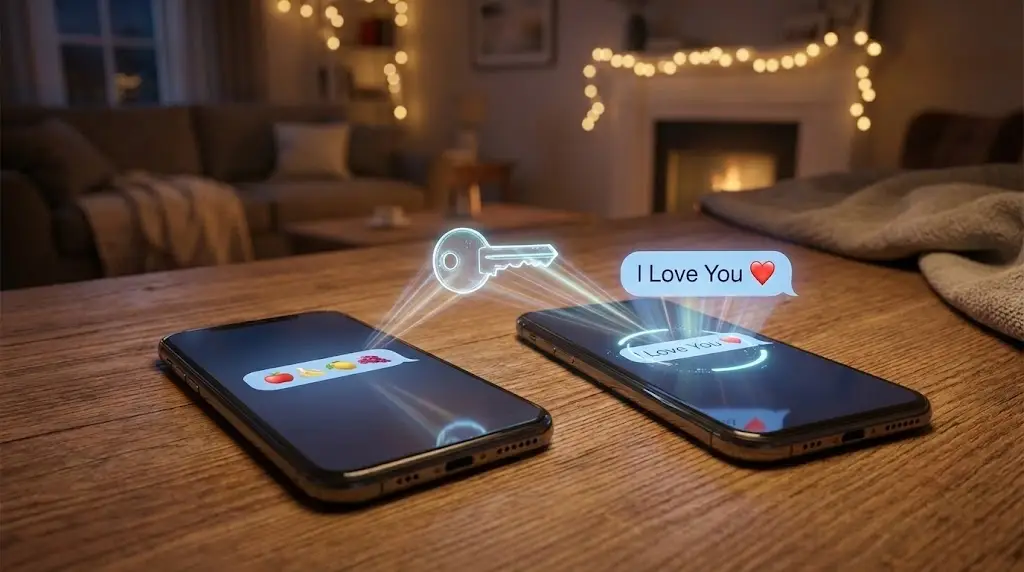
Because every method behaves differently, the sender and recipient should agree on the same option. If a password was used with Standard or Emoji mode, both people must also enter the same password.
How to Encrypt a Message Online
1. Enter the Text You Want to Hide
Open the Encrypt tab and type or paste a short message. A simple sentence is easiest to test first. Avoid entering information that would cause harm if another person saw or decoded it.
2. Choose the Right Encoding Method
Select Standard Secret Code, Emoji Language, Binary, Morse Code, or Reverse Text. Standard and Emoji modes work well when you want compact or visually playful output. Binary and Morse are useful for learning activities and code puzzles. Reverse Text is the quickest option for a lighthearted hidden message.
3. Add a Password Only Where Supported
The password field affects Standard Secret Code and Emoji Language. It does not strengthen Binary, Morse Code, or Reverse Text. If you add a password, remember its exact spelling and capitalization. The recipient will need the same value to restore the text.
4. Generate, Copy, or Share the Result
Click Encrypt Message, review the generated output, and use Copy, Create Secret Link, or WhatsApp sharing. A secret link includes the encoded output in its URL, so treat the link as shareable data rather than a private vault.
Available Secret Message Methods
Standard Secret Code
Standard mode converts the message into Base64-style text. Base64 is a widely used encoding format that represents binary data as printable characters. Without a password, anyone with a Base64 decoder can recover the text. When a password is supplied, this tool first applies a repeating-key XOR transformation and then encodes the result. That adds casual obscurity, but it is not comparable to a modern authenticated cipher.
Emoji Language
Emoji Language turns encoded hexadecimal symbols into a set of fruit and vegetable emoji. The result is eye-catching and suitable for WhatsApp games, scavenger hunts, friendship challenges, and surprise messages. A password can be applied in this mode, but the underlying protection remains lightweight.
Binary Code
Binary mode displays each JavaScript character code as a sequence of 0s and 1s separated by spaces. It is useful for coding lessons and computer-themed puzzles. The output becomes much longer than the original message, and the password field does not apply to this method.
Morse Code
Morse mode translates English letters A–Z and digits 0–9 into dots and dashes. Spaces are shown as separators, while unsupported characters may remain visible. Use it for practice, games, and simple coded notes—not for privacy or secure communication.
Reverse Text
Reverse Text flips the message character by character. It is fast and easy to undo by selecting the same method in the Decrypt tab. Since there is no secret key and no password processing, it should be treated purely as a fun text transformation.
How to Decode an Encrypted or Encoded Message
- Open the Decrypt tab.
- Paste the complete encoded message without removing characters or spaces.
- Select the exact method used by the sender.
- For Standard or Emoji mode, enter the same password if one was used.
- Click Decrypt Message and check the restored text.
If decoding fails, first confirm the method, password capitalization, and whether the entire output was copied. Binary depends on its spaces, while Emoji mode depends on the original emoji sequence.
Message Encryptor Examples
Suppose the original note is Meet at 7. Standard mode produces a compact encoded string. Emoji mode produces a colorful sequence. Binary mode expands every character into digits, Morse converts supported characters into dots and dashes, and Reverse Text returns 7 ta teeM. These examples represent the same intent but have different lengths, readability, and compatibility.
For a quick WhatsApp puzzle, Emoji or Morse can make the conversation more engaging. For a coding demonstration, Binary gives students a visible connection between characters and numeric representation. Standard mode is the most compact general-purpose choice on this page.
Useful Ways to Create Secret Messages
- WhatsApp games: send a clue that friends must decode before replying.
- Surprise planning: hide a harmless hint about a birthday, gift, or meetup.
- Classroom exercises: compare Base64, binary, Morse, and text reversal.
- Escape-room clues: prepare coded steps for a puzzle or treasure hunt.
- Creative social posts: publish an emoji or Morse challenge for followers.
- Developer testing: inspect how different representations change message length.
Privacy and Security Limitations
Encoding is not the same as encryption. Base64, binary, Morse, emoji substitution, and reversed text are designed to be reversible. A determined person can identify and decode them. The optional password in this tool uses a simple repeating-key transformation, not a standard such as AES-GCM with random salts, initialization vectors, and authentication.
The generated secret link contains encoded content in the URL. URLs can be copied, previewed, saved in browser history, or recorded by services involved in opening a page. For anything sensitive, use a reputable end-to-end encrypted service or a dedicated tool that clearly documents audited modern cryptography.
For casual use, protect yourself by avoiding real credentials, sharing passwords through a separate channel, testing the output before sending it, and deleting copied text when it is no longer needed.
How to Choose the Best Method
Choose Standard when you want shorter, text-friendly output. Choose Emoji for a playful visual message. Choose Binary for coding practice, Morse for classic code activities, and Reverse for the simplest possible puzzle. If your goal is genuine confidentiality rather than fun concealment, none of these modes should be your security boundary.
Try More WhatsApp Tools
After creating your coded message, explore the WhatsApp Text Repeater for repeated text patterns, the WhatsApp Font Styler for decorative text, the WhatsApp ASCII Art Generator for text art, or the WhatsApp Link Generator for a direct chat link.
Frequently Asked Questions
It is best described as a message encoder and decoder for fun, learning, puzzles, and low-stakes hidden notes. Standard mode uses Base64, while the optional password adds simple XOR-style scrambling. That is not equivalent to modern authenticated encryption such as AES-GCM, so do not use it for credentials, financial information, medical details, or confidential business data.
Open the Encrypt tab, enter your text, choose a method, and click Encrypt Message. If you use Standard or Emoji mode, you can optionally enter a password. Copy the output or create a shareable link, then send the decoding method and any password to the recipient through an appropriate channel.
The recipient opens this page, selects the Decrypt tab, pastes the encoded output, chooses the same method, enters the same password when Standard or Emoji mode was used, and clicks Decrypt Message. A mismatched method or password will not reproduce the original text.
The current tool applies the optional password only to Standard Secret Code and Emoji Language. Binary, Morse Code, and Reverse Text do not use the password field, so they should be treated as readable encodings or transformations rather than protected messages.
No. Base64 converts bytes into a text-friendly representation that can be decoded without a secret key. It is useful for encoding and transport, but it should not be described as secure encryption on its own.
Yes. You can copy the encoded text or use the WhatsApp sharing option. Keep in mind that message length can grow, especially in Emoji and Binary modes. For a password-protected Standard or Emoji message, share the password separately if privacy matters.
The generated link places the encoded output in the page URL. URLs may appear in browser history, previews, logs, or copied text, so do not put sensitive or regulated information in a secret link. Use it for casual puzzles, surprises, and non-confidential messages.
Create Your Encoded Message
Use the tool above to encode a message, test the matching decoder, and share the result responsibly. The best experience comes from choosing the right method, keeping the complete output unchanged, and setting accurate expectations: it is a convenient secret message generator for creativity and learning, not a replacement for professional encryption.