How to Create a Fake “Read More” Message on WhatsApp (2025 Prank Trick)
Home » How to Create a Fake “Read More” Message on WhatsApp (2025 Prank Trick)
Table of Contents
We all know that feeling. You receive a long message on WhatsApp, and you have to click "Read More..." to see the full content. It’s a standard feature for long texts.
But recently, you might have seen a new trend: Friends sending short messages that still have a "Read More" button. When you click it, it reveals a prank, a joke, or a funny confession.
How do they do it? Are they hackers? No! They are just using a simple trick called the WhatsApp Spoiler Effect.
In this guide, I will show you exactly how to create your own "Read More" messages to troll your friends—using a free and easy tool.
What is the "Read More" Trick? 🤫
WhatsApp automatically collapses messages that are very long to save screen space. The trick works by inserting thousands of invisible characters (called Zero-Width Spaces) between the first part of your message and the second part.
In simple terms: This trick makes WhatsApp think your message is very long, so it automatically adds the “Read More” button, even though the text looks short to the human eye.
Step-by-Step: How to Create a Spoiler Message
You don't need to manually type thousands of spaces (that would take hours!). Instead, use the WSBot Spoiler Tool to do it in 1 second.
Step 1: Open the Tool
Go to the WhatsApp Spoiler Tool (Read More Generator).
Step 2: Enter the "Visible" Text
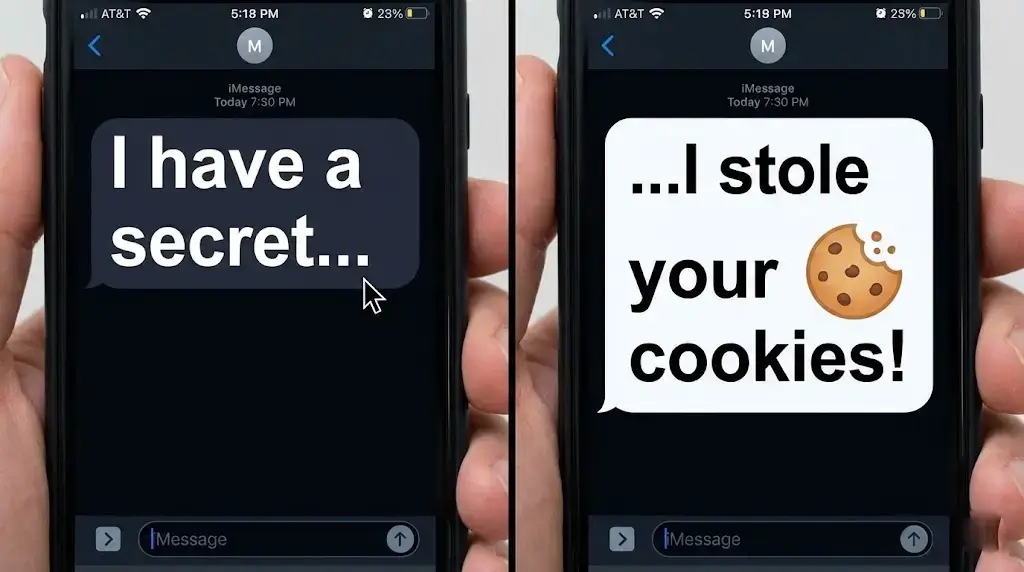
This is the bait. Write something that makes your friend curious. For example:
- "I have a secret to tell you..."
- "⚠️ DO NOT CLICK BELOW!"
- "I think I'm in love with..."
Step 3: Enter the "Hidden" Text
This is the punchline. This text will only appear after they click the button. For example:
- "...I ate your pizza! 🍕"
- "Just kidding! 😂"
- "...your cat! 🐈"
Step 4: Generate & Send
Click the Generate button, then hit Copy. Now, paste it into any WhatsApp chat and hit send. Watch their reaction!
3 Best Prank Ideas for "Read More" Messages 😂
Running out of ideas? Copy these scripts:
1. The Fake Virus Warning
Visible: ⚠️ SYSTEM WARNING: Virus Detected!
Hidden: Just kidding. But you got scared, didn't you? 😜
2. The Magic Trick
Visible: Touch this text to see magic... ✨
Hidden: 🐰 *Poof!* Nothing happened. Go back to work.
3. The Relationship Prank
Visible: We need to talk. It's serious.
Hidden: Should we order Biryani or Pizza for dinner? 🍗🍕
Why Use the WSBot Tool?
While you can find apps for this, our online tool is better because:
- ✅ No App Installation: Works directly in your browser.
- ✅ Safe & Free: No data collection.
- ✅ Formatting Toolbar: Make your hidden text Bold or Italic for extra impact.
Frequently Asked Questions (FAQs)
Does this prank work on iPhone?
Yes! The zero-width space trick works perfectly on both WhatsApp for Android and iOS (iPhone). It is a universal text standard.
Is this trick safe to use?
Absolutely. It is just a text formatting trick. It does not hack WhatsApp or harm anyone's phone. It is meant for harmless fun.
Can WhatsApp ban me for using this?
No, WhatsApp does not ban users for sending long text messages. However, avoid spamming it too many times in a short period to stay safe.
Does it work on WhatsApp Web?
Yes, the "Read More" button will appear on WhatsApp Web and Desktop versions as well.
Conclusion
The WhatsApp Read More trick is one of the safest and funniest ways to interact with friends. It adds a layer of mystery to your chats.
Ready to try it now? Click here to open the Spoiler Generator and send your first prank message!
Explore more WhatsApp tricks and pranks in our Fun & Creative Tools collection.