
WhatsApp QR Generator
Create custom branded QR codes instantly.
Free WhatsApp QR Code Generator (Custom Logo & Colors)
In today's fast-paced digital world, nobody has the time to manually type a phone number, save it, and then refresh their contact list just to send a simple "Hello." If you are running a business or growing a personal brand, speed is everything.
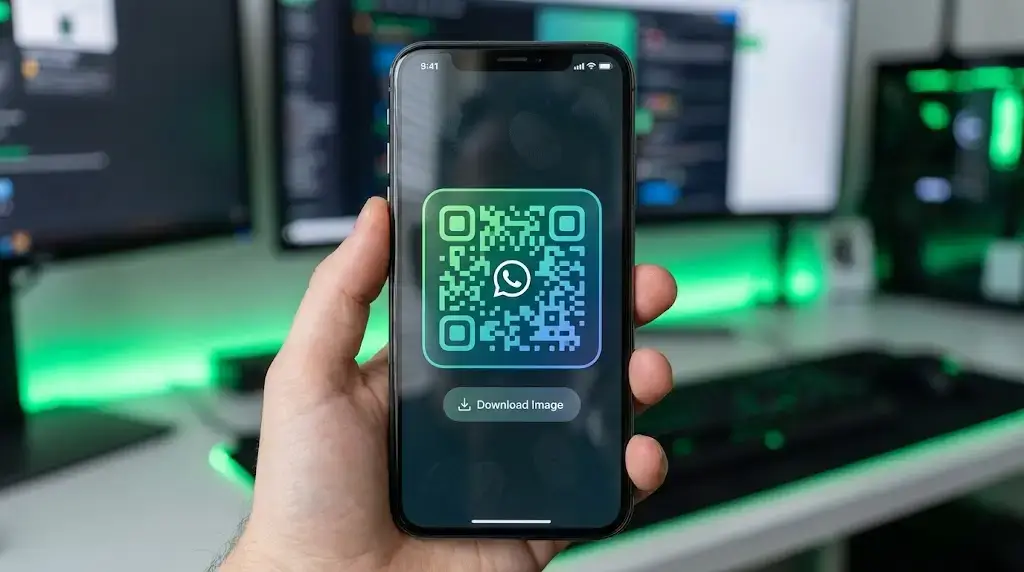
Enter the Ultimate WhatsApp QR Code Generator by WSBot. This isn't just another boring black-and-white QR maker. This is a fully customizable design studio that lets you create stunning, branded, and high-quality QR codes that actually get scanned.
Whether you are a restaurant owner needing a menu scanner, a real estate agent putting signs on lawns, or an influencer growing your network, our tool helps you connect with people instantly via WhatsApp.
wa.me links. How to Create a Custom WhatsApp QR Code? (Step-by-Step)
Creating a professional QR code usually requires expensive software like Photoshop or a paid subscription. But with WSBot, you can do it for free in seconds. Here is how:
- Enter Your Number: Type your WhatsApp number with the country code (e.g., 1 for USA, 92 for Pakistan). No plus (+) signs needed.
- Add a Welcome Message: (Optional) Write a pre-filled message like "Hi, I want to order a pizza." This text will automatically appear in the user's chat when they scan the code.
- Choose a Design Style: Don't settle for boring. Use our "One-Click Presets" to choose a style like Dark Neon, Professional Blue, or Sunset Fire.
- Customize & Brand It: Click on "Advanced Customization". Here you can change gradient colors, dot shapes (Rounded/Square), and even Upload Your Own Logo to place in the center.
- Download High-Quality Image: Once satisfied, click "Download Image." You will get a high-resolution PNG perfect for printing on flyers, business cards, or billboards.
Why is WSBot the Best WhatsApp QR Code Generator in 2026?
We analyzed the top 10 tools on Google and realized they were missing key features. So, we built a tool that solves all those problems:
1. Fully Customizable (Gradients & Shapes)
Most free tools only give you a black-and-white square. WSBot allows you to use Gradient Colors (e.g., Purple to Blue) and change the shape of the dots to be Rounded, Dots, or Classy. This makes your QR code look like a part of your brand identity.
2. Logo Integration (Brand Awareness)
Trust is important. People are more likely to scan a QR code if they see a familiar logo inside it. Our tool lets you upload your company logo or use the default WhatsApp icon instantly. No graphic design skills required.
3. "Scan Me" Text Support
A QR code without instructions is useless. Our tool allows you to add bottom text like "SCAN TO CHAT" or "ORDER NOW" directly into the downloaded image. This call-to-action (CTA) increases scan rates by up to 30%.
4. Privacy Focused & Fast
Unlike other sites that store your data, our tool runs locally in your browser. Your phone numbers and messages are processed instantly, and we do not save any of your data on our servers.
Who Needs a WhatsApp QR Code? (Real-Life Use Cases)
🏪 Restaurants & Cafes
Replace physical menus with a QR code on every table. Customers scan it, and it opens a WhatsApp chat with your ordering bot or digital menu PDF.
🏡 Real Estate Agents
Put a "Scan for Details" QR code on your "For Sale" signs. Potential buyers can scan it as they drive by and instantly receive property details via WhatsApp.
📦 E-Commerce & Packaging
Include a card in your delivery box saying "Scan for Support" or "Scan for a Discount Coupon." It connects customers directly to your support team, reducing bad reviews.
🚗 Customer Support & Service Centers
Stick a QR code at your reception desk or on your product warranty card. Customers can start a support ticket instantly without waiting on hold.
Advanced Tips for Printing QR Codes
If you plan to print your QR code on physical marketing materials, follow these expert tips to ensure it scans correctly:
- Contrast is Key: Always ensure the QR code color is darker than the background. A light yellow QR on a white background might not scan.
- Size Matters: For business cards, the minimum size should be 2x2 cm. For flyers, make it bigger.
- Don't Cover the "Eyes": The three big squares in the corners are crucial for scanning. Don't cover them with text or logos.
- Test Before Printing: Always scan the code with 2-3 different phones (Android & iPhone) before you print 1,000 copies.
Frequently Asked Questions (FAQs)
Do these QR Codes expire?
No! The QR codes generated by WSBot are static. They will work forever as long as you do not change your WhatsApp phone number.
Can I make a QR code for a WhatsApp Group?
Yes! Simply copy your "Group Invite Link" from WhatsApp, paste it into our Link Shortener (Coming Soon) or use this tool by pasting the full group link if we update it for URLs.
Is this tool free for commercial use?
Yes, absolutely. You can generate unlimited QR codes for your business, ads, or clients without any attribution or cost.
Why is my QR code not working?
Make sure you entered the correct country code without any extra symbols like "+" or "-". Also, ensure there is enough contrast between the foreground and background colors.
Conclusion
WhatsApp is the future of business communication, and a Custom QR Code is your gateway to instant customer connection. Stop using boring, black-and-white codes that get ignored.
Use WSBot's Advanced QR Generator to create stylish, branded, and high-converting QR codes today. It’s fast, free, and designed for professionals like you.
Ready to upgrade your marketing? Scroll up and create your QR Code now!