Create Custom WhatsApp QR Code
Home » Create Custom WhatsApp QR Code
Table of Contents
In the world of digital marketing, a simple black-and-white QR code is no longer enough. If you want your customers to actually scan your code and contact you, it needs to look professional, branded, and trustworthy.
Imagine handing out a business card with a boring black square versus one that has your Brand Colors and your Company Logo in the center. Which one would you scan? The branded one, right?
In this guide, we will show you exactly how to create a custom WhatsApp QR Code with a logo using the free WSBot Advanced QR Generator. No Photoshop skills required!
Why Use a Custom WhatsApp QR Code with Logo?
Adding a logo and colors to your QR code isn't just about looking cool; it's about Trust and Conversion.
- Brand Recognition: When people see your logo inside the QR code, they instantly recognize it belongs to your business.
- Higher Scan Rates: Studies show that customized QR codes get 30% more scans than standard black-and-white ones.
- Professional Look: It shows you care about details, which builds confidence in your customers.
Step-by-Step: How to Generate Your Branded QR Code
Follow these simple steps to create a high-quality, printable WhatsApp QR code for your business.
Step 1: Enter Your WhatsApp Details
First, go to the WSBot QR Tool. Enter your WhatsApp phone number (with country code, e.g., 92 or 1). You can also add a Pre-filled Message like "Hi, I want to inquire about your services." This makes it easier for customers to start the chat.
Step 2: Choose a Design Preset (Fastest Way)
Don't want to design from scratch? We have added 8 One-Click Presets.
- Select "Classic WhatsApp" for the standard green look.
- Select "Dark Neon" for a modern, tech-savvy vibe.
- Select "Professional Blue" for corporate businesses.
Step 3: Upload Your Logo (The Game Changer)
This is the most important part. Click on the "Upload Custom Logo" box. Select your company's logo (PNG or JPG) from your phone or computer.
Our tool automatically optimizes the image size so it fits perfectly in the center of the QR code without breaking the scanning ability.
Step 4: Customize Colors & Shapes (Advanced)
Want to match your brand colors exactly? Open the "Advanced Customization" tab.
- Gradient Colors: Instead of a flat color, choose a gradient (e.g., Purple to Pink) to make it pop.
- Dot Shapes: Change the standard square dots to Rounded, Classy, or Extra-Rounded styles.
- Corner Eyes: You can even change the color and shape of the three corner "eyes" independently.
Step 5: Add "Scan Me" Text & Download
A QR code works best when you tell people what to do. Use the "Bottom Text" feature to add a call-to-action like "SCAN TO CHAT" or "ORDER NOW".
Finally, click "Download Image" to get a high-quality PNG file ready for printing.
5 Ways to Use Your New Custom QR Code
Now that you have a stunning QR code, where should you use it to grow your business?
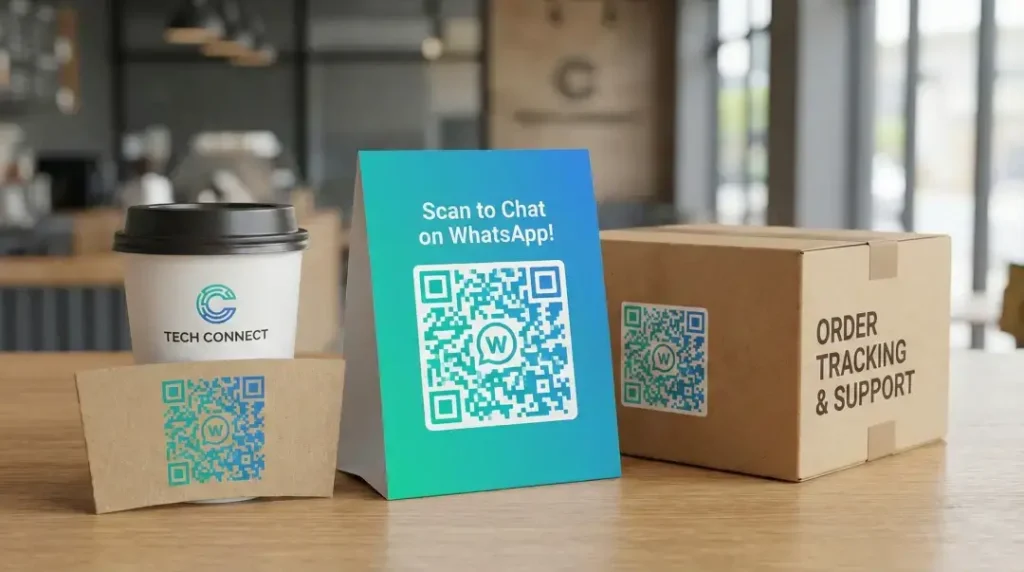
- Product Packaging: Stick it on your boxes so customers can scan for support or re-orders.
- Business Cards: Replace your phone number text with a scannable QR link.
- Shop Counter / Table Tents: If you run a restaurant, put a QR code on tables for the digital menu or payments.
- Flyers & Brochures: Make it easy for people to contact you from a printed ad.
- Social Media Posts: Post the QR image on your Instagram Story or Facebook Feed.
Frequently Asked Questions (FAQs)
Q: Is it free to add a logo to the QR code? A: Yes! Unlike other tools that charge for this feature, WSBot allows you to upload custom logos for free.
Q: Will adding a logo break the QR code? A: No. Our generator uses high-level error correction logic. This ensures that even with an image in the center, the code remains scannable.
Q: Can I change the color of the QR code? A: Absolutely. You can choose any color, including beautiful gradients, to match your brand identity.
Q: Does this work for WhatsApp Business? A: Yes, it works perfectly for both personal WhatsApp and WhatsApp Business numbers.
Conclusion
Your brand deserves to stand out. Stop using boring, generic QR codes that get ignored. With WSBot's Advanced QR Generator, you can create a unique, branded, and high-converting entry point for your customers.
It’s fast, free, and packed with premium features. Try it now and see the difference!