
WhatsApp Number Extractor Pro
Extract & Clean phone numbers from any text or file.
Phone Number Extractor: Extract Numbers from Text, TXT or CSV
Use this free phone number extractor to find number-like phone patterns inside mixed text, TXT files, or CSV files. Paste your source data or upload a supported file, choose whether to remove duplicates, optionally apply a simple prefix rule, and export the cleaned results as TXT or CSV.
The tool is useful when phone numbers are mixed with names, notes, timestamps, or other text. It runs the current extraction logic in your browser and produces a one-number-per-line list that you can review, copy, or download. No account or software installation is required.
Important: This number extractor finds patterns; it does not prove that a result is a valid, active, owned, reachable, or WhatsApp-registered phone number. Always review the output and only process contact data you have permission to use.
What the Online Phone Number Extractor Does
The tool searches the supplied text for sequences that resemble phone numbers. It recognizes common groups separated by spaces or hyphens, supports an optional leading plus sign, and accepts a three-digit group in parentheses. After a match is found, the tool removes non-digit characters and keeps results containing between 7 and 15 digits.
This makes it practical for extracting phone numbers from text such as contact notes, exported messages, support logs, survey responses, or a basic customer list. It can also read TXT and CSV files as plain text. It does not scrape websites, open social networks, access your contacts, or retrieve private information.
The result is a cleaned list of digits. Depending on the source, some matches may be incomplete phone numbers or unrelated numeric strings. Dates, order IDs, reference numbers, and long codes can sometimes resemble telephone numbers, so human review remains necessary.
How to Extract Phone Numbers from Text
1. Paste Text or Upload a Supported File
Paste the source content into the input box, or upload a .txt or .csv file. The input counter shows the number of characters currently loaded. PDF, spreadsheet, document, and image files are not directly supported.
2. Choose the Duplicate Setting
Keep No Duplicates selected when you want each exact cleaned number to appear once. Turn it off when repeated occurrences are meaningful—for example, when you want to inspect how often the same numeric value appears in the source.
3. Apply a Prefix Only When Appropriate
The optional prefix field provides simple text transformation. A typed plus sign is removed from the prefix. If a result begins with zero, that single leading zero is replaced by the prefix. If the result does not begin with the prefix, the prefix is added. This rule is not aware of national numbering plans and can produce incorrect values when a source contains several countries.
4. Extract, Review, Copy, or Download
Click Extract Numbers. Check the result count and inspect the list before using it. You can copy all results, download a TXT file, or export a CSV file with a Phone Numbers header.
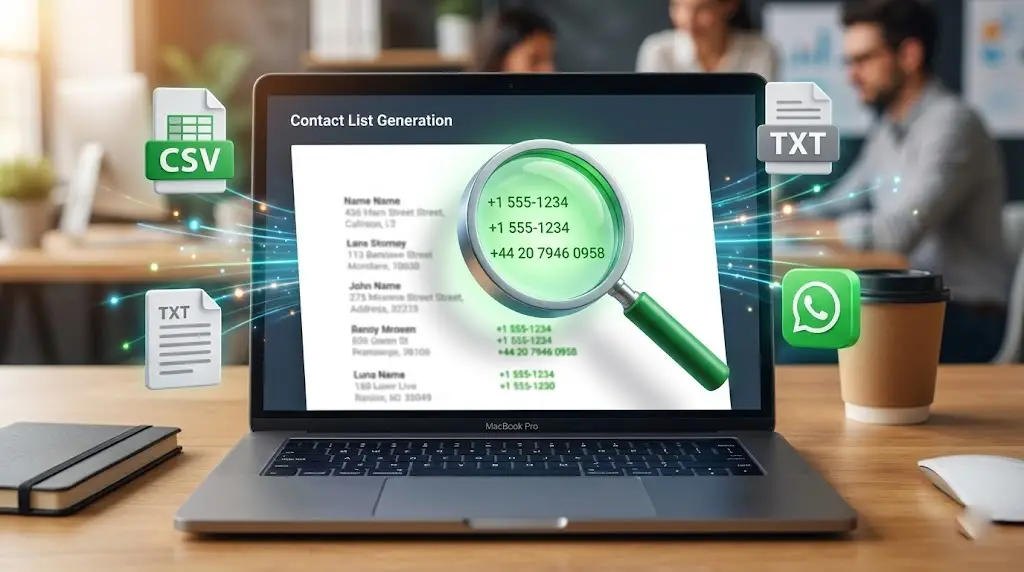
Supported Inputs and Outputs
Paste Mixed Text
Mixed text is the fastest input option. The source may contain words and number-like values in the same paragraph. Formats with spaces, hyphens, an optional plus sign, or a three-digit area group in parentheses are the best fit for the current pattern.
Upload TXT or CSV
The file picker accepts TXT and CSV. The browser reads the complete file as text and places it in the source box. The tool does not identify a particular CSV column or preserve names beside numbers; it extracts matching numeric patterns only. If you need names and numbers paired, keep your original file and reconcile the reviewed results separately.
Copy, TXT, and CSV Results
Copy All Numbers sends the current output to your clipboard. TXT download creates a plain one-number-per-line file. CSV download creates a single-column list. Import phone-number CSV columns as text when working in spreadsheet software so leading zeros or long numbers are not reformatted.
How Phone Number Detection Works
The current parser uses a regular expression to identify likely number shapes and then removes every non-digit character from each match. Results shorter than 7 digits or longer than 15 digits are discarded. This range is a screening rule, not proof of validity.
A regular expression cannot understand every country’s numbering plan. It cannot tell whether a country code is correct, whether a subscriber number exists, or whether the user typed an extension. It may miss formats that use unsupported punctuation—such as periods—and it may accept a long ID that happens to fit the pattern.
For reliable international validation, use a country-aware phone-number library or lookup service after extraction. A strict E.164 number normally includes a plus sign, country code, and subscriber number with no spaces or punctuation. The present output is digits only, so it should not be described as guaranteed E.164 or universally API-ready.
Prefix and Country-Code Formatting Explained
The prefix option is convenient for a list where every local number follows the same known rule. For example, a trusted list from one region may use one leading zero that should be replaced with the correct country code. Enter the digits of that country code and test a small sample first.
Do not apply one prefix to a mixed-country dataset. A number can already contain a different country code, share the same opening digits by coincidence, or require country-specific trunk-prefix handling. Save an untouched copy of the original source so any transformation can be audited or reversed.
Remove Duplicate Phone Numbers
Duplicate removal happens after separators are stripped and after the optional prefix rule is applied. Exact resulting digit strings are compared, and later copies are removed. Two differently formatted inputs can therefore become one identical result.
This feature is helpful when contacts appear repeatedly in a chat export or combined notes. It does not merge near-duplicates, detect typos, compare extensions, or decide that two different international forms belong to the same person.
Practical Use Cases
- Clean an authorized contact export: collect number-like values from a TXT or CSV file before manual validation.
- Review a WhatsApp chat export: identify numeric patterns that appear in text you are entitled to analyze.
- Prepare support records: separate phone-number candidates from notes for an approved internal workflow.
- Organize event responses: clean voluntarily submitted contact details while preserving the original consent record.
- Recruitment administration: extract candidate contact numbers only when the documents were provided for that purpose.
- Data-quality checks: compare duplicate counts and spot inconsistent separators in a controlled dataset.
Privacy, Consent, and Responsible Use
Phone numbers are personal data in many jurisdictions. Only upload or paste information you are authorized to process, and keep collection purpose, retention, access, and deletion rules in mind. Do not use this tool to harvest numbers from websites, social profiles, private groups, leaked files, or purchased lists.
A clean list is not a permission list. Before sending business or promotional messages, obtain appropriate consent, identify the sender, honor opt-out requests, and follow applicable law and platform policy. WhatsApp states that businesses need permission for offers and announcements, so extraction must never be treated as automatic marketing approval.
The current tool code reads pasted or selected TXT/CSV content with browser APIs and performs matching in the page. Even so, protect the device and browser session, avoid shared computers for sensitive records, and delete downloaded files when they are no longer needed.
How to Improve Extraction Accuracy
- Start with a clean, authorized source and remove unrelated long numeric IDs when possible.
- Process one country or numbering convention at a time.
- Test the prefix on a small sample before applying it to the full list.
- Compare the result count with the source and inspect unexpected matches.
- Keep leading zeros safe by treating spreadsheet columns as text.
- Use country-aware validation when delivery or API compatibility matters.
- Retain an untouched source copy for audit and correction.
What This Tool Does Not Do
This is not a WhatsApp number checker, lead scraper, contact finder, carrier lookup, caller-ID service, or consent-management system. It does not search websites, Google Maps, LinkedIn, Facebook, or Instagram. It does not extract names beside numbers, read PDFs or images directly, validate ownership, or send messages.
These boundaries matter because several related search phrases describe different products. WSBot’s tool is specifically an online phone number extractor from text, TXT, and CSV with basic cleanup, duplicate removal, and optional prefix transformation.
Related WSBot Tools
Use the WhatsApp Chat Analyzer to review supported chat exports, the WhatsApp Link Generator to create a link for a contact who has agreed to communicate, or the WhatsApp Text Repeater for controlled text repetition.
Frequently Asked Questions
It scans pasted text or an uploaded TXT or CSV file for number-like patterns, removes spaces and supported separators from matches, keeps results between 7 and 15 digits, and lists them one per line. It does not verify ownership, carrier, country, reachability, or WhatsApp registration.
Yes. Upload a CSV file and the tool reads it as text in your browser. It searches the complete file for number-like patterns rather than selecting a named CSV column. Review the results because dates, IDs, invoice numbers, or other long numeric values may also match.
Direct PDF and image upload are not supported. For a selectable PDF, copy its text and paste it into the input box. For a scanned PDF or image, use a trusted OCR tool first, then paste the recognized text and manually verify every result.
No. It is a text parsing and cleanup tool only. It does not contact WhatsApp, query an account, validate a subscriber, or confirm that a number can receive messages.
The prefix field removes a typed plus sign, replaces one leading zero with the prefix, prepends the prefix when it is not already present, and otherwise leaves the number unchanged. This is a simple rule, not country-aware validation, so check international numbers manually.
Not necessarily. The output contains digits only and does not add the plus sign required by strict E.164 representation. Length screening alone cannot confirm a valid phone number. Use a dedicated validation service when accurate international normalization is required.
Only use contact data you are authorized to process and message. Extraction does not create consent. Follow applicable privacy and anti-spam laws, WhatsApp rules, opt-in requirements, and opt-out requests. Avoid scraped, purchased, or confidential lists.
Extract and Review Your Phone Number List
Paste authorized text or upload a TXT/CSV file, extract the number-like patterns, and review every result before use. With realistic expectations, the WSBot phone number extractor can save time during basic contact-data cleanup while keeping validation, consent, and responsible messaging decisions in your hands.