
Emoji Remover & Text Cleaner
Remove emojis, links, and hashtags instantly.
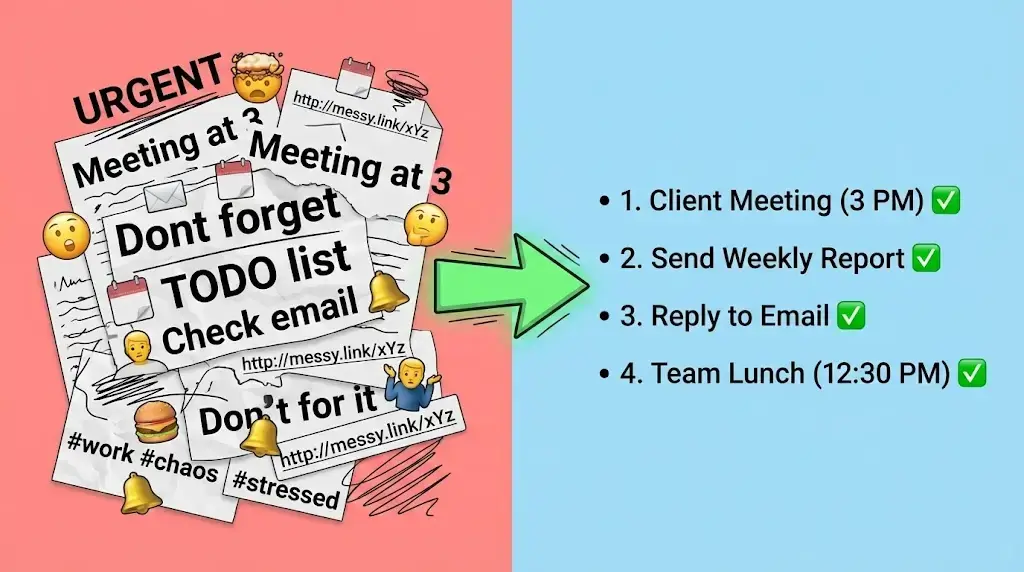
Emojis are a great way to express emotions in digital communication. However, there are times when they become a hindrance. Whether you are a developer processing data, a social media manager cleaning up captions, or a student working on a project, having mixed emojis in your text can be annoying.
Welcome to WSBot.top. Our **Emoji Remover & Text Cleaner** is an advanced utility designed to scrub your text clean. With just one click, you can remove all emojis, hashtags, links, and numbers, leaving you with perfectly readable plain text.
What is the Emoji Remover Tool?
The **Emoji Remover** is a web-based tool that scans your text for any Unicode emoji characters and deletes them. But it doesn't stop there. We have upgraded it into a full **Text Cleaner**.
It offers two powerful modes:
- 🚫 Remove Mode: Deletes emojis from the text (e.g., "Hello 👋" becomes "Hello").
- 💎 Extract Mode: Removes the text and keeps only the emojis (e.g., "Hello 👋" becomes "👋"). This is useful if you want to save a collection of emojis used in a document.
How to Clean Your Text? (Step-by-Step)
Cleaning text manually can take hours. Our tool does it in milliseconds. Here is how:
Step 1: Paste Your Text
Copy your messy text from Instagram, Excel, or PDF and paste it into the input box. The tool allows unlimited characters.
Step 2: Choose Your Mode
Select what you want to do using the toggle buttons:
- Click "Clean Text" if you want to get rid of the emojis.
- Click "Extract Emojis" if you want to keep the emojis and delete the words.
Step 3: Select Advanced Cleaning Options
Unlike basic tools, we give you full control. You can choose to remove other unwanted elements too:
- Remove Hashtags (#): Cleans tags like #Trend #Viral.
- Remove Links (http): Strips out all URLs and website addresses.
- Remove Numbers: Deletes all digits (0-9).
- Smart Spacing: Ensures words don't stick together after removing emojis.
Step 4: Copy or Share
Your clean text will appear instantly in the result box. Click "Copy Result" to use it, or send it directly to WhatsApp.
Who Needs This Tool?
This tool is essential for:
- Data Analysts: When processing sentiment analysis data, emojis often break code scripts. This tool cleans datasets instantly.
- Content Writers: Remove unwanted icons from copied articles or research papers.
- Instagram Users: Want to copy a caption but remove the 30 hashtags at the bottom? Use the "Remove Hashtags" feature.
- Teachers & Students: Clean up copied study notes that contain unnecessary formatting symbols.
Features of WSBot Text Cleaner
- ⚡ Real-Time Processing: No need to press a "Submit" button. The text cleans itself as you type.
- 📊 Live Stats: See exactly how many emojis were found and removed from your text.
- 🔒 Privacy First: Everything happens in your browser. Your text is never sent to our servers.
- 📱 Mobile Friendly: Works smoothly on iPhone and Android devices.
Frequently Asked Questions (FAQs)
Q: Does it remove all types of emojis?
A: Yes! Our tool supports the latest Unicode standards, so it removes everything from classic smileys to new flags and symbols.
Q: Will it delete punctuation marks?
A: No. By default, it only removes emojis. Punctuation like commas and periods remain, unless you choose to remove them.
Q: Can I remove only hashtags but keep emojis?
A: Currently, the main function is emoji removal. However, you can use the checkboxes to customize what gets deleted.
Stop deleting emojis one by one! Use the tool above to clean your text in seconds.