
WhatsApp Text Repeater
Repeat text up to 10,000 times instantly.
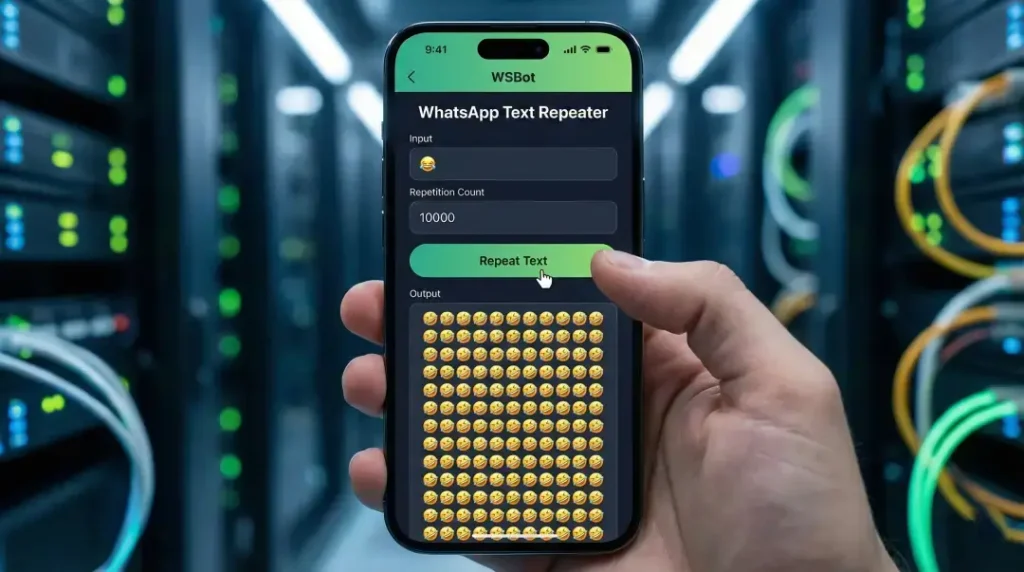
Text Repeater: Repeat Words, Messages and Emojis Online
Need to repeat a word, short message, emoji or full sentence without copying and pasting it again and again? The free WSBot text repeater creates repeated text in seconds. Enter your text once, choose a repetition count, decide whether every copy should appear on a new line, and generate a clean result that is ready to review and copy.
People use different names for the same basic utility, including word repeater, repeat text generator, text repeater generator and repeated text generator. Whatever phrase brought you here, the goal is simple: create an exact number of copies while keeping control of the layout. This tool works with letters, numbers, punctuation, emojis, phrases and multi-word messages, so it can help with both everyday formatting and practical testing tasks.
The repeater runs in your browser and does not require an account. Your input is processed by the page until you choose to copy it or use the Share button. For a longer result, Copy gives you the most control because you can review the full output and paste it into the destination yourself.
On This Page
What Is a Text Repeater?
A text repeater is an online utility that duplicates the text you enter by a number you select. If you enter “Hello” and choose five repetitions, the output contains five copies of “Hello.” Instead of manually selecting, copying and pasting the same words, the generator performs the repetition consistently in one action.
The input can be as short as one character or as detailed as a sentence. You can repeat an emoji to create a visual pattern, repeat a phrase for a practice exercise, or generate a block of predictable sample text for testing a form. The result depends on three decisions: what you enter, how many copies you request, and how you want those copies arranged.
What Can You Repeat?
The tool accepts normal text and Unicode characters, which makes it useful for many kinds of input:
- A single letter, number or symbol
- One word or a short phrase
- A complete sentence or short message
- Emojis and simple emoji sequences
- Labels, test values or placeholder strings
- Text that needs to appear as a numbered list
The repeater duplicates the original input as entered. Review spelling, punctuation and spacing before generating a large result, because any mistake in the source text will also be repeated.
Text Repeater vs. Word Repeater
“Text repeater” and “word repeater” usually describe the same type of online tool. A word repeater sounds more specific because the input may be a single word, while a text repeater can describe words, sentences, emojis or longer strings. On this page, both terms refer to the same function: taking your original input and reproducing it a chosen number of times.
A repeat text generator is also different from a random-text or AI-writing generator. It does not rewrite, paraphrase or invent new sentences. It preserves the input and duplicates it. If you need placeholder paragraphs rather than identical copies, use the WSBot Lorem Ipsum Generator. If you need to measure the final length, open the Word Counter and Character Count Tool after copying the result.
How to Use the WhatsApp Text Repeater
- Enter your source text. Type or paste a word, phrase, emoji or message into the input field. Check the text before continuing.
- Choose the repeat count. Enter a number from 1 to 10,000. Start with a smaller number when the source text is long.
- Select an output format. Keep New Line enabled when every copy should appear on a separate line. Enable Add Numbers when you want an ordered result.
- Generate the output. Select Repeat Text and wait for the result to appear in the preview box.
- Review and copy. Check the number, spacing and layout. Use Copy for the complete result or Share for a shorter WhatsApp-ready draft.
The tool also includes quick controls for adding visible formatting markers and generating a blank-character sample. Because messaging apps can interpret formatting characters differently, always preview the pasted result before sending or publishing it.
Choose the Right Output Format
New Line is the clearest choice for lists, repeated labels and step-by-step testing because each copy occupies its own line. Turning New Line off places the copies on one line with spaces between them, which is useful for short words, symbols or compact patterns. Add Numbers prefixes each repeated item with its position, making the output easier to scan and count.
For example, repeating “Check” three times with New Line and Add Numbers produces a simple sequence: 1. Check, 2. Check and 3. Check, with each item on a separate line. Without numbering, the output contains only the repeated source text. Choose the format based on where the result will be pasted, not simply on which option creates the longest output.
Useful Ways to Repeat Text Online
An online text repeater is useful whenever exact duplication is faster and more reliable than manual copy-pasting. The most valuable use cases are practical, controlled and easy to verify.
Messaging and Creative Formatting
You can repeat a short greeting, celebration message, emoji or decorative symbol sequence and then paste it into WhatsApp or another compatible app. A WhatsApp text repeater does not send messages automatically; it prepares text for you to review. This distinction matters because you remain responsible for the final message, its length and the people who receive it.
Short outputs usually work better in conversations. A wall of repeated text can be difficult to read and may annoy recipients. Use repetition for emphasis, a friendly celebration or a deliberate visual pattern, and stop when the result communicates the idea clearly.
Forms, Layouts and Character-Limit Testing
Developers, designers and website owners can use repeated text as predictable sample data. Repeating a short token makes it easier to test text fields, line wrapping, overflow, scrolling and responsive layouts. A numbered output can also help identify where content is cut off or where a layout begins to behave unexpectedly.
This tool is useful for quick manual testing, but it is not a substitute for automated performance or security testing. Very large output can consume browser memory and may not represent realistic user data. Begin with a modest count, observe the result, and increase it only when the test requires more characters or lines.
Learning, Practice and Reusable Lists
Repeated words can support spelling drills, typing practice, pronunciation notes and simple classroom exercises. Numbered repetition is helpful when a learner needs a fixed set of practice lines or when a trainer wants to create a checklist with the same instruction repeated for several items.
You can also generate repeated labels for a draft, a template or a temporary data set. After copying the output, edit individual lines where variation is needed. The repeater handles the repetitive first step; you keep control of the final wording.
How Many Times Should You Repeat Text?
The correct repeat count depends on the length of the source text and the destination. Ten copies of a short word create a small result, while ten thousand copies of a sentence create an extremely large block. The tool accepts counts up to 10,000, but the maximum option is not automatically the best option.
Use a small trial first. Generate 10 or 20 copies, check the character count and confirm that the target app accepts the layout. Increase the number gradually if you need more. This avoids unnecessary browser load and helps prevent a message, form or document from becoming difficult to edit.
The Share action prepares a limited portion of the output for a WhatsApp link, so Copy is the better option for longer results. After copying, the WSBot Word Counter and Character Count Tool can help you check the exact length before you paste the content into another platform.
Tips for Clean and Responsible Repeated Text
Repeated text is easy to generate, but a useful result still requires judgment. Follow these guidelines:
- Proofread the original input before repeating it.
- Match the repeat count to a real purpose.
- Use New Line for readability when the copies are longer than one word.
- Use numbering when the order or count must remain visible.
- Test a small output before generating thousands of copies.
- Check the destination’s character and message limits.
- Do not use the output for unwanted bulk messages, harassment or disruptive spam.
- Avoid placing private, confidential or sensitive information into content you plan to share.
Different apps can change line breaks, emoji appearance and formatting marks. The preview shows the generated text, but the final display is controlled by the destination app. Paste the result into a draft area first when formatting is important.
Why Use the WSBot Text Repeater?
The WSBot repeat text generator focuses on the options most people need: a clear input, a flexible repeat count, new-line formatting, optional numbering, instant preview, one-click copying and WhatsApp sharing. It works on desktop and mobile browsers without requiring a separate app or account.
The 1–10,000 range supports both small everyday tasks and larger test outputs. The preview keeps the result visible before you copy it, while the separate Copy and Share actions let you choose how to use it. The original text is not rewritten, so you know exactly what the generator will duplicate.
For related formatting tasks, use the WhatsApp Font Styler to explore Unicode text styles, the Text to Emoji Converter for emoji-based alternatives, or the Blank Message Generator when you specifically need an invisible-character sample. These tools solve separate intents, so use the one that matches the result you actually need.
Text Repeater FAQs
Is the text repeater free?
Can I repeat emojis, symbols and complete sentences?
Can I repeat text 100 or 1,000 times?
Does the tool automatically send WhatsApp messages?
What is the difference between New Line and Add Numbers?
Repeat Text Online in Seconds
Use the text repeater whenever you need exact, controlled duplication without repetitive typing. Add your word, message, emoji or sentence, choose a sensible count, select the layout and review the preview. Return to the tool, generate your repeated text and copy the result when it looks right.