How to Create Glitch Text for Gaming & Social Media? (Zalgo Generator 2026)
Home » How to Create Glitch Text for Gaming & Social Media? (Zalgo Generator 2026)
Table of Contents
Have you ever seen a username in PUBG or Free Fire that looks like it is malfunctioning? Or maybe you have stumbled upon a comment on Instagram that looks like it is melting off the screen? It looks messy, scary, and incredibly cool.
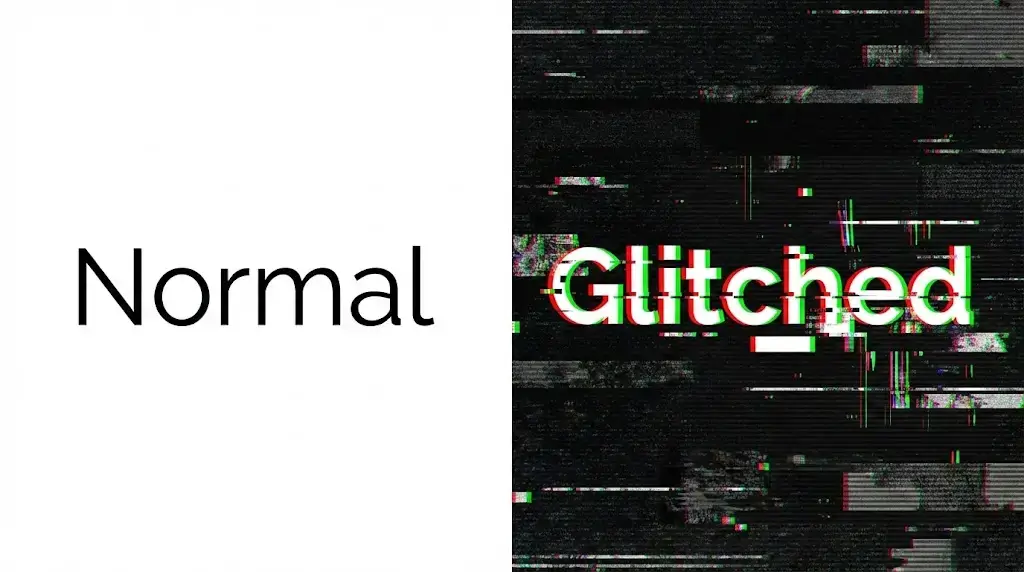
This is called Glitch Text (or technically, Zalgo Text). It is not a bug or a virus; it is a special text style that uses stacked characters to create a chaotic look.
In this guide, I will show you exactly how to generate your own glitch text for gaming profiles, social media bios, and horror pranks using our free tool.
What is Zalgo (Glitch) Text?
Zalgo text works by adding special "markings" on top of and below normal letters. These markings are called combining diacritics. When you stack too many of them, they overflow into the lines above and below, creating that signature "broken" or "hacked" effect.
👻 Create Your Glitch Text Now!
Want to scare your friends or make a unique username? Click below to use the generator.
How to Generate Glitch Text (Step-by-Step)
Creating this effect manually is impossible. But with WSBot.top, you can do it in seconds. Here is how:
Step 1: Open the Tool
Go to our Glitch Text Generator Tool.
Step 2: Type Your Text
Enter your name, message, or phrase in the input box. For example, type "GAME OVER" or your own name.
Step 3: Choose the "Chaos" Level
This is the fun part! You can control how destroyed the text looks:
- 🌱 Mild Preset: Adds just a few marks. Good for readable names.
- 🔥 Medium Preset: The balanced "Hacker" look. Best for comments.
- 💀 Extreme Preset: Total chaos. The text will look unreadable and scary.
(Pro Tip: You can also use the sliders to manually adjust the glitch on the Top, Middle, or Bottom of the letters!)
Step 4: Copy or Download Image
Once you are happy with the look, click "Copy" to paste it anywhere.
New Feature: If the text looks like empty boxes on your phone (which happens on older devices), click the "📸 Save Image" button. This will download your glitch text as a high-quality picture that works everywhere!
Where to Use Glitch Text?
Here are the most popular ways to use this text style:
- Gaming Names: Stand out in the kill feed in games like PUBG Mobile, COD, and Free Fire. A glitched name looks intimidating.
- Horror Comments: Leave creepy comments on scary YouTube videos or TikToks.
- Discord Server Names: Give your server a unique, edgy aesthetic.
- Bio & Status: "I am nOt oKaY" looks much deeper when written with a glitch effect.
Is It Safe?
Yes, absolutely. Zalgo text is just standard Unicode characters. It is not a virus and will not harm your device. However, be careful not to use the "Extreme" level on platforms like Facebook, as it might get marked as spam due to its height.
Conclusion
Glitch text is the perfect way to show off your unique style or pull a digital prank. Stop using boring fonts and start glitching today!